A spare parts catalogue lives or dies by one question from the field: which part is this? A service technician standing in front of a stopped machine needs to match the worn component in their hand to a position number and an order code in under a minute. Photographs rarely manage that. An exploded view built from the engineering CAD does.
This guide covers how exploded views and technical illustrations are produced from CAD, what they cost, and how to specify them so they work in a parts catalogue, an operating manual and a sales brochure at the same time.
What an exploded view is, and what it is not
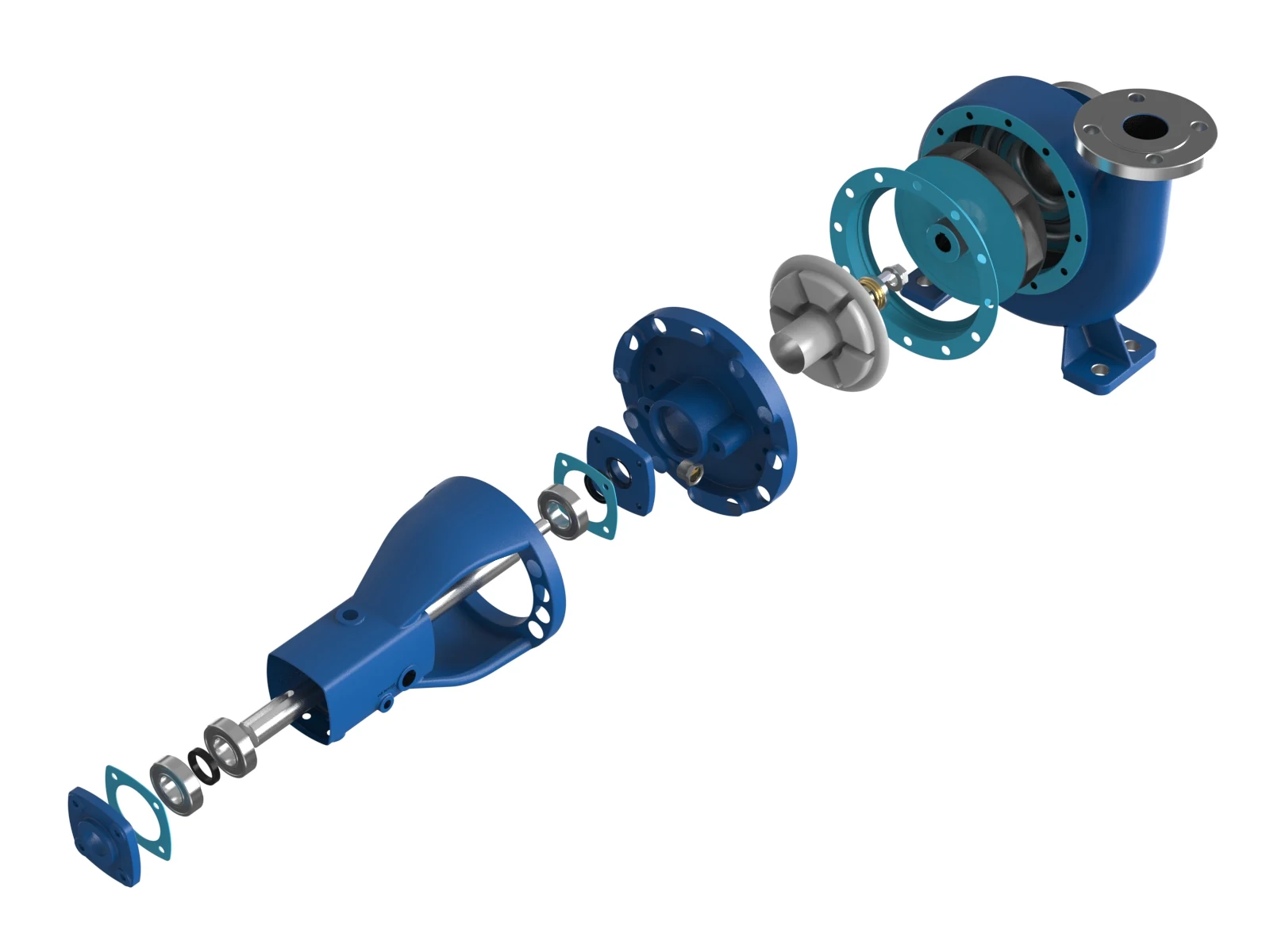
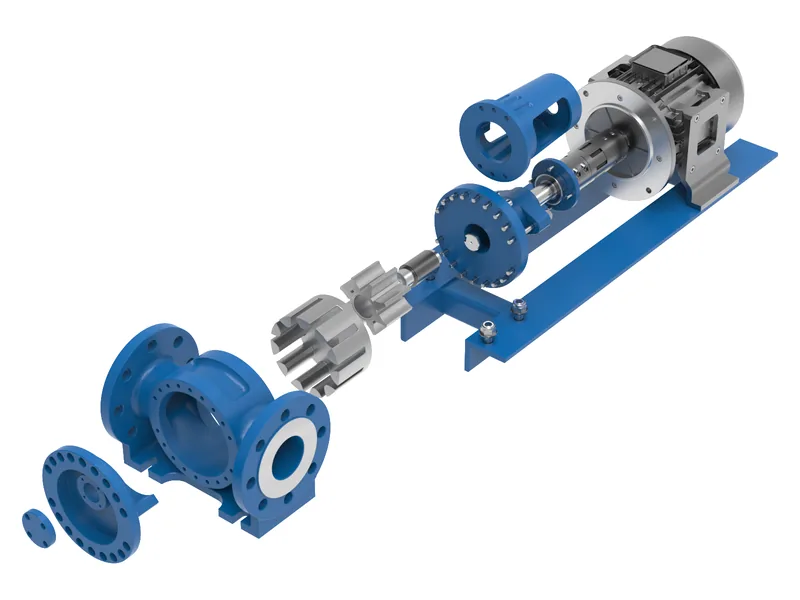
An exploded view shows an assembly with its parts moved apart along their assembly axes, so every component is visible and its position relative to the others is obvious. It is not a random scatter of parts. Each part travels along the direction it would be removed during disassembly, and the spacing is chosen so that position numbers and leader lines have room.
Three related views are often confused:
- Exploded view: parts separated along their assembly axes. Best for spare parts lists and assembly instructions.
- Cutaway or section: part of the housing removed to show the inside in place. Best for explaining how something works, such as an impeller inside a volute.
- X-ray or ghosted view: outer parts rendered semi-transparent. Best for sales material where the outside must stay recognisable.
Line art or photoreal?
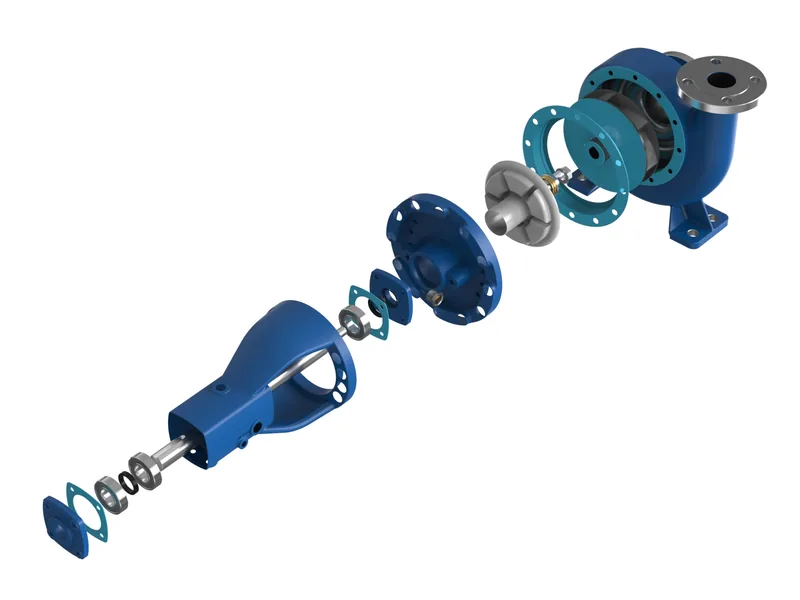
Parts catalogues traditionally use black and white line drawings because they print cheaply and stay legible at small sizes. That is still the right choice for printed manuals and for ERP systems that only accept vector graphics. For digital catalogues, service portals and sales material, a shaded or photoreal exploded view is now common because technicians recognise parts faster when they see real materials and colours.
| Style | Best for | File types |
|---|---|---|
| Vector line art | Printed manuals, ISO style parts lists, ERP | SVG, PDF, EPS |
| Shaded technical | Digital catalogues, service portals | PNG, SVG with raster |
| Photoreal exploded | Sales brochures, websites, trade shows | PNG, TIFF, 4K and above |
| Animated explode | Training, service videos, product launches | MP4, interactive web 3D |
Because every style comes from the same prepared CAD model, you do not have to choose only one. A single preparation can deliver line art for the manual and a photoreal version for the brochure.
How we build exploded views from CAD
- Assembly structure. The CAD tree is checked against your bill of materials, so every part that needs a position number exists as a separate body.
- Explode paths. Each part or sub-assembly is moved along its real removal direction. Fasteners travel with the part they hold.
- Camera and layout. The view is composed for the page format, usually A4 or letter portrait, with room for balloons and leader lines.
- Numbering. Position numbers are matched to your BOM or spare parts list. If you send the list as Excel, numbering is consistent across every view.
- Output. Vector, raster or both, at the resolution your catalogue software needs.
Interactive parts finders
The next step after static exploded views is an interactive one: a web viewer where the technician clicks a part in the 3D assembly and sees its number, name and order link. It reuses the same prepared CAD and explode paths, and it can be connected to a spare parts shop. For manufacturers with large installed bases, this turns the parts catalogue into a sales channel. See what interactive 3D for industrial equipment costs.
What exploded views cost
Pricing depends on part count and how many views are needed, not on the style. Our published starting prices:
For a full spare parts catalogue of a machine with dozens of sub-assemblies, the efficient route is a fixed price per view after one shared CAD preparation. Send the assembly and the parts list and we return a fixed quote within one working day.
Five specification mistakes to avoid
- Exploding too much at once. A complete machine exploded in one view is unreadable. Break it into sub-assemblies that match how service teams actually work.
- Forgetting fasteners. Technicians need to know which screw goes where. Include standard parts in the view even if they are not sold as spares.
- Numbering that does not match the BOM. Decide whether position numbers follow the CAD, the ERP or the catalogue before work starts.
- Wrong orientation. Show the assembly the way the technician sees it on the machine, not the way it sits in the CAD coordinate system.
- One-off files. Ask for the prepared model to be kept, so next year's revision only changes the parts that changed.
From exploded view to animation
Once the explode paths exist, turning them into a short animation costs little extra. A 20 second explode and reassemble sequence is one of the most effective clips for websites and trade show screens, because it shows engineering quality without a word of text. The linear actuator x-ray and explode animation in our portfolio is built exactly this way, and our guide to exploded view animation costs covers pricing for animated versions.
Written by Bilal Naseem, mechanical engineer and founder of 3DEnginuity. Questions about your own machine? Write to [email protected].
Send one CAD file for a free assessment.
We open it, tell you what is usable, and return a fixed price and delivery date within one working day. NDA first if you need it.