Training a new operator on a real machine means taking the machine out of production, putting an experienced technician next to the trainee, and accepting that mistakes happen on expensive equipment. VR training moves the first part of that learning into a headset, built from the machine's own CAD. This guide looks honestly at what VR training for machine operators costs, what the evidence says, and when it is worth it.
What VR operator training covers
- Familiarisation: walking around the machine, naming the main units, locating emergency stops.
- Procedures: start-up, shutdown, format changes, cleaning, lockout and tagout.
- Fault handling: practising rare situations, such as jams or sensor faults, that are hard to stage on a real machine.
- Service tasks: replacing wear parts in the correct order, with the correct tools.
What it costs
Published market figures vary enormously. One VR platform vendor puts custom VR training projects anywhere between $10,000 and more than $500,000, with a median around $86,000, and individual modules from roughly $5,000 to $15,000; headsets add $300 to $1,200 each (ArborXR, 2025).
For machine builders, the biggest cost driver is usually the 3D content: modelling the machine and its moving parts. That is where an existing CAD model changes the economics. Our VR, AR and training work starts at $10,500, because the machine already exists as engineering data and does not have to be modelled from photos.
| Scope | Typical content | Indicative cost |
|---|---|---|
| Single procedure module | One task, guided steps, 10 to 20 minutes | From $10,500 |
| Operator course | Familiarisation plus 3 to 5 procedures | Quoted per project |
| AR service guide | Steps overlaid on the real machine via tablet | Quoted per project |
What the evidence says
The best-known study is PwC's 2020 research on VR training: learners trained up to four times faster than in a classroom, felt 275 per cent more confident applying what they learned, and VR reached cost parity with classroom training at 375 learners (strategy+business, 2020). That study covered soft skills, not machine operation.
For hands-on technical tasks the research is more mixed. A peer-reviewed study of technicians learning an assembly task found that AR training reduced unsolved errors, while VR training showed no significant difference against the control group (Gavish et al., 2015). The practical lesson: VR is strong for familiarisation, safety and rare situations; for precise hand skills, AR on the real machine or a well-made procedure animation is often as effective and cheaper.
When VR is worth it
- The machine is expensive to stop, or not yet built.
- Mistakes are dangerous or costly: high voltage, hot surfaces, heavy moving parts.
- You train many operators across many customer sites, so the content is reused.
- Rare events matter: you need people to practise situations that seldom happen.
If none of these apply, start with procedure animations. They play on any device, cost less, and reuse the same prepared model when you later move to VR or AR.
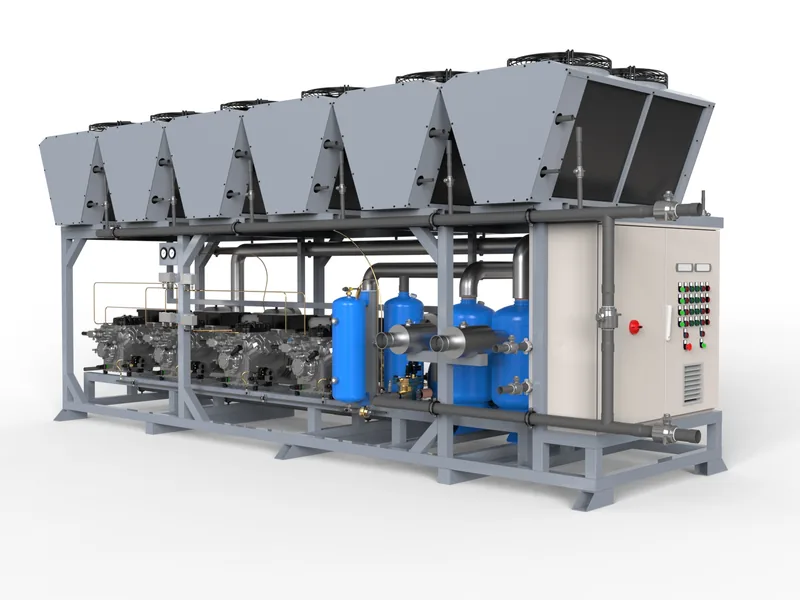
AR for service teams
Augmented reality deserves a separate mention. Instead of a headset, the technician points a tablet or phone at the real machine and sees the steps overlaid in place: which panel to open, which bolt to loosen, which part to replace. For service organisations with technicians spread across many customer sites, AR is often the more practical first step than VR, because it uses hardware they already carry and works on the real machine.
Hardware and deployment
- Standalone headsets need no PC and are easy to take to customer sites.
- Device management matters once you have more than a handful of headsets; plan for it.
- Content updates should be part of the plan. When the machine changes, the training should change with it, which is easy when it is built from the same CAD as the machine.
How to start
Pick one procedure that causes the most errors or the most service calls, and build that first. Send the CAD and the procedure description, and we return a fixed quote within one working day.
Written by Bilal Naseem, mechanical engineer and founder of 3DEnginuity. Questions about your own machine? Write to [email protected].
Send one CAD file for a free assessment.
We open it, tell you what is usable, and return a fixed price and delivery date within one working day. NDA first if you need it.